Different Types of Malware

Tuesday, 5 March 2013

An alarming majority of internet users are either ignorant or careless about the prevalence of threats in the worldwide web. Whenever something goes wrong in their computer, they immediately dismiss it as an episodic malfunction that will not cause serious damage.

Those who are aware of malware infiltration only wait for their entire system to crash before they seek repairs and avail the aid of antivirus protection software.

Cyber criminal activities are not performed by bored high school students during summer breaks - they are attacks by underground organizations, hackers, and hacktivists who intend to cause mayhem in large corporations and governments. Those who target individuals are no less malicious, as they can now install a virus into your computer that will open a backdoor for them to gain administrative control over your entire system.

Accounts will be hacked, confidential documents will be stolen, and worse, webcams will be turned on to spy on you and your family.

Gaining a thorough awareness of these grave threats and the damages they can cause will help a lot in preserving your privacy and your security.

Introducing Malware:

Malware, for starters, is short for malicious software. It is a collective term for every kind of harmful software created and launched with the intention of vitiating people through the internet.

The most infamous categories under it are viruses, worms, Trojan Horses, spyware, and rootkits.

We will discuss their mode of penetration and the variety of ways they can endanger you.

Worms:

Its name can give you a very clear summation of its behavior. This internet pest is an extremely common, self-replicating malware. Because it can be acquired nearly everywhere in the web, it may give you the impression that is something you can easily pluck off your skin and thrown outdoors. We are warning you to alter that mindset.

Worms can enter your computer and remain undetected for months long. After some time, it will begin to delete your files, slow down your programs, instigate avenues for other malwares to pass through, and even create backdoors for hackers.

Prevention is better than cure, especially in this case, because it forces your infected gadget to suffer a slow dead with an impact you will certainly be in agony from.

Worms attach themselves to files and are efficiently spread through mass mailing. Be careful what you open in the internet.

Viruses:

You must have heard about the ILOVEYOU bug, the Chernobyl, the Melissa and many more that have caused companies millions of dollars during their debut and their succeeding hype.

The most notorious of its kind steal the contact information of an infected computer's address book, whether through MS Outlook or email accounts, and sends themselves as attachments with a luring prompt that have fooled many people.

It is a difficult malware to get rid of, as it clings stubbornly to every removable hardware plugged into an infected gadget.

Viruses behave in a slightly similar manner to worms; they will infect files and slow down your computer beyond usage. Reprogramming will require that all your files be deleted, because they are probably contaminated with the virus you acquired.

Trojan Horses:

This malware initiated the most serious cases of infiltration through trickery. Once it gets inside, like it did in Troy as told by Homer, defeat will be a difficult ending to avoid. Plenty of victims have felt the melancholy that had befallen the Trojans upon realizing that they have been fooled into letting the enemy in.

On the outside, it will appear as an inoffensive photo, document, or application, mimicking authentic ones in its presentation. Your war starts the moment you make the mistake of clicking its ploy. Although it does not self replicate, which is fortunate for us, it does deploy an army of worms and viruses that ensure little chance of survival on your part.

These malware will almost always cost you your files, and eventually your gadget.

Rootkits:

The previously mentioned malwares can enhance the destructive forces of Rootkits, as it is created by cyber criminals to gain complete control over its target's computer.

The complexity of its design makes its creators difficult to locate. With control over numerous infected computers, hackers will have an easier time tormenting others as much as they wish to do so.

Spyware:

This is the least malevolent malware of the bunch. Spywares usually cause annoyance with the way it can reprogram your applications and encourage the appearances of pop-ups. When this happens, antispyware software is a suitable solution.

Safety Measures:
  • Antiviruses do a great job at keeping malware at bay and your gadgets from crashing.
  • Be extra cautious with the files you download, and get applications only from trusted websites. If you do simply as you will in the internet, even the best antimalware software cannot save you from corruption.


Author Bio:
Author is a computer professional and blog writer who basically writes on various computer security topics. He brings many interesting reviews about the latest antivirus protection software and inform readers about the best free antivirus software for their computer protection.

How To Move Your Blogspot Blog To Your Own Domain

Monday, 4 March 2013


If you own a blogger, someone is hosting your website for you. Unless you own your own server, all the pictures, videos, songs and other content on your blog are stored elsewhere on a machine constantly running so the files are always available.
Some successful bloggers do get their own servers because the amount of control over their own work is that much greater. If you find yourself ready to host your own blog but you don’t know how to move it to your own domain, you’re in luck. Here’s how you can move a Blogspot blog to your own domain.

First, Have a Domain

            You will need your own domain or some host besides Blogspot if you want to move your blog to the former from the latter. The list of these providers is a lengthy one but companies like GoDaddy are especially popular.
            Once you’ve figured out what provider you want to go with, you’ll need to get all set up and everything. Before you move y our Blogspot blog, log into your account at whatever place is hosting your domain, or get your personal server ready for some new information.

Prepare It

           Once you’re all set to move things over, you must prepare your domain to accept the requests which will come from Blogspot. To do this is a little complicated but easy enough with some directions. You will need to look for the Domain Control Center on your page.
           If you can find it, then you’ll need to look for Total DNS Control. This is where you will add a new CNAME based on the URL you provide. It’s only a small adjustment you need to make so don’t worry about big changes here. It’s not much work at all.

Change Settings on Blogspot

           Now you’ll need to go to your Blogspot account and prepare it to send the information over to your personal domain. This is a small, short and sweet process about as simple as the prior step. Once you’re logged in on your Blogspot, Go to your settings and re-confirm them with the new information and address you specified to make sure your blog is going to the right page and you’re done.
          No muss, no fuss, you won’t even have to break a sweat to get this done. Beware though, there are some consequences to moving your blog from Google to your personal place.

Backlinks Will Be Lost

          This is a big deterrent to established bloggers who wish to split up and make their own name. Any backlinks you’ve made will all become irrelevant as they’ll be linking to a website which doesn’t exist. The updates would take you an awful long time if you have a lot of links already, so this move is recommended only for fresh or experienced bloggers starting with something new.
          You could keep making money on your Blogspot blog while making another one with your name somewhere else, right? There’s no need to ruin a good thing.


Author Bio:
Miles Carson is a freelance writer who contributes to many websites including howtostartyourownblog.com. If you want detailed information on setting up your own blog, check out the website and being reading!

How Firewall Work's

Sunday, 3 March 2013


Firewalls are the first line of defense for computers connected to other computers or to the Internet.

They help to protect against viruses, malicious software and hackers. At the same time, they can allow communication with other computers or Internet sites that are known to be safe. There are two types of firewalls: Hardware-based and software-based.

Hardware Firewall:

             A hardware firewall can be a stand-alone product, or it may be part of a broadband router. A firewall in a broadband router generally needs no configuration by the user, and it protects all computers on a local network. Hardware firewalls work by using a technique called packet filtering to intercept information before it enters the private network. Any data coming from unknown, unsecured or suspicious locations is rejected and not allowed through.

Software Firewall

           A software firewall is a program that must be installed on a computer. It can be customized by the user. The program runs in the background and protects the computer from suspicious data. It can be configured to always allow information from certain sites or to always block certain sites. It can also be temporarily turned off if it is interfering with attempts to access websites or other computers that are known to be safe.

Which is better?

           Hardware and software firewalls each have advantages and disadvantages. A hardware firewall will protect all computers on a network, but software firewalls must be installed on each computer. This does allow each computer user to choose and customize their firewall software. Since hardware firewalls protect all computers on a private network, individual customization per computer is not possible. Software firewalls must be updated regularly by downloading recommended updates from the manufacture. A software firewall is particularly important for laptop or notebook computers that are taken from place to place. Some functions of hardware and software firewalls overlap, but in general it is best to have both types.

What Firewalls Don’t Do

           A Firewall operates by barring unsecured data from reaching a computer or the computers on a network. It determines what is unsecured or potentially unsecured by following a set of rules that are programmed into it. While a firewall may prevent computer viruses by blocking them, viruses, malware, and other types of malicious data can still get past a firewall if it does not recognize them as a threat. Therefore, it is important to have anti-virus and anti-malware software installed in addition to a firewall.


Author Bio:

Peter Wendt is a writer & researcher interested in computer security. Wendt recommends visiting Ottawa IT support specialists for computer services.

Free Software To Split And Merge Large Files [Freeware]


WinMend File Splitter is a free file splitter and merger. It can split a file into specified number of blocks or at specified unit size, so they can be easily attached to an email, or stored in a removable device such as USB drive, floppy disk, MP3, MP4, and mobile phone.

It can also be used to merge files. It can merge split files in the same directory back into a new file identical to the original one. With advanced algorithms and clean and simple interface, WinMend File Splitter can help you get done tasks quickly and accurately while ensuring easy and convenient operation. It’s a convenient tool that you will never want to miss.

Features:
  • High-Speed Splitting and Merging - With advanced algorithms, it splits and merges files faster.
  • Safety Ensured - The splitting and merging processes are safe and reliable. Your files will never be damaged.

Version: 1.3.2
Size: 2.1 MB
Supports: Win 2000/XP/Vista/7/8
License: Freeware [?]
Source: winmend

Please Leave a comment if you found problems with the download link :)

Using Google Webmaster Tools

Saturday, 2 March 2013


Using Google Webmaster Tools

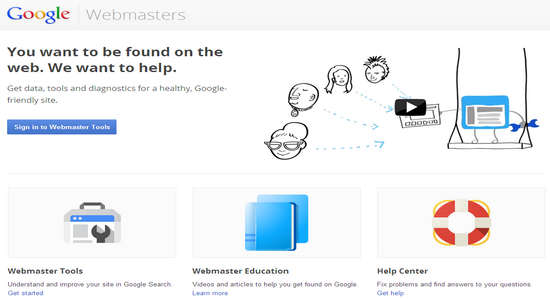
Let's take a look at how to use the very basics of Google webmaster tools to learn what information Google has about your website as well as provide Google with a few instructions about how to index your pages. The first step is to go to Google.com/webmasters and sign into your account. This requires a Google account and if you don't already have one you can head over to Google.com/accounts to create one. Once you are logged in you'll need to submit the domain you want to manage and in this case I will use my own website.

To protect your account and your website Google will need to verify that you actually own this domain and that you are authorised to see some critical details of this website. There are a few different verification methods that you can choose from but you will need to do this successfully before continuing. The options that you are your webmaster have include uploading a specific HTML file to your site, adding a specific meta tag to your source code or making a small change to your site DNS record.

Another helpful option is the Google analytics access method which you can use if you have Google analytics installed and administrative access to the account. Once you verify the website you will see a listing for in your main dash board with any important messages.


Clicking into this website will bring up a dashboard and a menu of all the different areas of webmaster tools. You can see some high-level information here around crawler errors and search queries.

And you can also get a quick view of the number of URLs you've submitted to your site maps and the number of URLs that Google has indexed. You can drill into the crawl error reports to look at what problems Google has had while crawling and indexing your site.

Crawl errors can hurt site in the Google search results. So it's important to identify the type of crawl error that is affecting your different URLs and take the appropriate steps to resolve those errors. This may include implementing 301 redirects or fixing some web server configurations. You may also need to remove references to pages that are no longer part of your site.

You can also click on the search queries reports which provide some interesting details about your organic search visibility. You can see impressions as well as how many clicks you got for different keywords. And you can also see the average positions your site was ranking in for different keywords over a given period of time. You can also use filters to look at specific search queries, different types of search, different countries or only queries that generated a certain volume of traffic.

There are lots of reports in sections of webmaster tools to review and I would encourage you to spend some time going through each for your own website.  The configuration section includes general settings like what country your website is targeting, what URL parameters are used on your pages and for what reasons and who else has access to the information in webmaster tools for your domain.

We have already looked at the crawler report but the health section contains additional functionality that lets you block Google from seeing certain pages of your site and also lets you know if you've been hacked.


You also want to check out the optimisation section. This is where you'll be able to review and submit your external site maps as well as take a look at the HTML improvement section to identify potential problems with your sites content that you can address immediately.

As you can see there are many other features to Google webmaster tools that you should explore. And there are always more new features coming out.  Google has done a very good job of letting you know how it views your pages and allowing you to provide input into what it knows about you. Staying on top of the world webmaster tools month after month is certainly an endeavour that will pay dividends.


Author Bio:
Sadhiv Mahandru has been involved in online marketing for over a decade covering PPC, Affiliate Marketing, SEO , Content Creation and also creating effective websites. Specialising in Search Engine Optimisation Manchester and providing services throughout the UK. You can learn more about Internet Marketing and SEO by reading my own blog which is updated frequently.

Find the Speed Of Your Hard Disk, Pendrive, etc.. [Freeware]

Find the Speed Of Your Hard Disk, Pendrive, etc.. [Freeware]

Hi friends here is a software named Disk Benchmark which is a free utility to calculate the speed of any hard disk or removable media like a USB flash disk.
This program will perform several test on the target drive ,then calculate the speed in megabytes per seconds.
The actual transfer speed will be determined by the speed of the target drive but also by the motherboard, CPU and Ram speed.


Size: 1.3 MB
Supports: Windows
License: Freeware [?]

Leave a comment if you found problem with the download link :)

Special Features Of Employee Monitoring Software Increases Productivity

Friday, 1 March 2013

Advanced online technologies have benefitted many businesses. Although, internet has brought about many positive changes in the way the works are being done, but there are some drawbacks attached to it.

Internet has become very important for most workplaces, but some of the employees use it for non work related or personal purposes. The office computers are being used by employees to send private messages to their friends, outside the workplace. The management can now control such policy breaches by installing employee monitoring software.

Internet monitoring software:

Online monitoring tools are used to track employee's work productivity, and it scrutinizes their online movements. This software helps in tracking the productive hours of all the staff members. You can effortlessly keep an eye on multiple departments. Every incoming and outgoing e-mails and messages can be monitored by the operators.

The robust internet filters allows you to track and print nearly any data on internet surfing. It is a potent solution to monitor employee routine, preserve company data, and enhance the workplace competence.

The work time tracking is a helpful feature in monitoring software. You can easily determine the activities that consume your employee’s time. Integrated with attendance tracking system, it can be applied as a productivity enhancer. It helps the management to track the unproductive activities like chatting, playing games, or gambling.

It helps in tracking the idle time spent by employees away from computers. Online monitoring application permits you to record keystrokes, supervise messaging, and capture screenshots instantaneously.

Blacklisting websites:

Some of the sites can be blacklisted using keywords and URL’s through various categories that are built into the application. Instead of totally blacklisting the website, you can set it up to exhibit an alert on un-related site. Misuse of internet on office computers by workers for personal use, can now be stopped completely.

The program comprises of both server and client based panels. Both panels can be easily installed, and they have a friendly interface.  There is nothing too technical about the software. At the time of setting it up, the management has an option to associate it to several users concurrently. The monitoring can be performed directly from the servers, or remotely from a distant location.

Additionally, reporting features are designed to create reports based on the pre defined criteria, which can be tailored and scheduled according to the business needs. Reports can be generated for the single user or cumulatively for the entire group of users. Online monitoring software can also evaluate proxy servers and log files.

Each report can have specified parameters, including lists of applications, websites, users and computers. Reports can be exported in different formats. The visual reports can be displayed using charts and graphics.

Applying an internet tracking system enables the manger to monitor to the employees secretly. It is a perfect solution and limits the misuse of office hours, and for evaluating every employee’s performance.


Author Bio:
Alex has written this article. This article of mine on employee monitoring software is basically intended for helping businesses improve their productivity by minimizing the wastage of working hours at their workplaces. Do feel free to tell me about your opinion.